
Your everyday moments deserve more than a camera roll. Make beautiful scrapbook pages right from your phone or computer, no design software or learning curve required, then hold them in your hands on real archival photo paper.
Browse Page Designs Start a Memory Page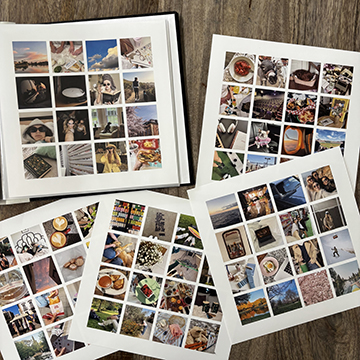
Whether you love a ready-made look or designing every detail, there's a path that fits how you scrapbook.
Choose from dozens of designed scrapbook pages for birthdays, holidays, babies, school, travel and everyday life. Just add your photos and words.
Start with a simple photo grid, then make it yours. Add or remove photo spots, layer in your favorite digital kit art, and journal anywhere on the page.
Already love designing in Canva? Export your finished page and order it as a photographic print. Simple setup steps are below.
Pick 8×8, 10×10 or 12×12, then a ready-made design or a simple photo grid you can customize.
Drop in your favorite photos, add journaling, and bring in your own .png or .jpg digital kit pieces. Once they're in your account, you can reuse them on cards, calendars and photo books too.
Choose matte or glossy. Pages are printed on archival silver halide photographic paper, made to last for generations.
Start on your computer and finish on your phone. Your photos and saved projects are waiting in your account wherever you sign in.
Canva is a wonderful way to design pages with your own fonts and graphics. A few setup choices make sure your page prints crisp and clear.
| Page size | Canva custom size |
|---|---|
| 12×12 | 3600 × 3600 px |
| 10×10 | 3000 × 3000 px |
| 8×8 | 2400 × 2400 px |
Good to know: Canva's "PDF Print" option is made for paper printers. For photo prints, a JPG at the full pixel size above is what you want.
Your stories deserve more than a hard drive.
Every page is printed and hand checked in Orem, Utah. Prefer paper and glue? Pair your prints with a Persnickety scrapbook kit.
Start Your First Page