
Why Is My Photo Too Small to Print?
If our team sent you here, one of your photos doesn't have enough detail to print sharply at the size you picked. Don't worry, it's usually a quick fix. Here's what's going on and how to solve it.
Pixels, in plain English
Photos are made of tiny dots
Every digital photo is a grid of tiny squares of color called pixels. Zoom way in and you'll see them.
More pixels = more detail
Resolution is how many pixels a photo has, like 3024 × 4032. The bigger those numbers, the bigger it can print.
Printing stretches them
Print a small photo big and each pixel has to cover more paper. That's when prints turn soft, blurry, or blocky.
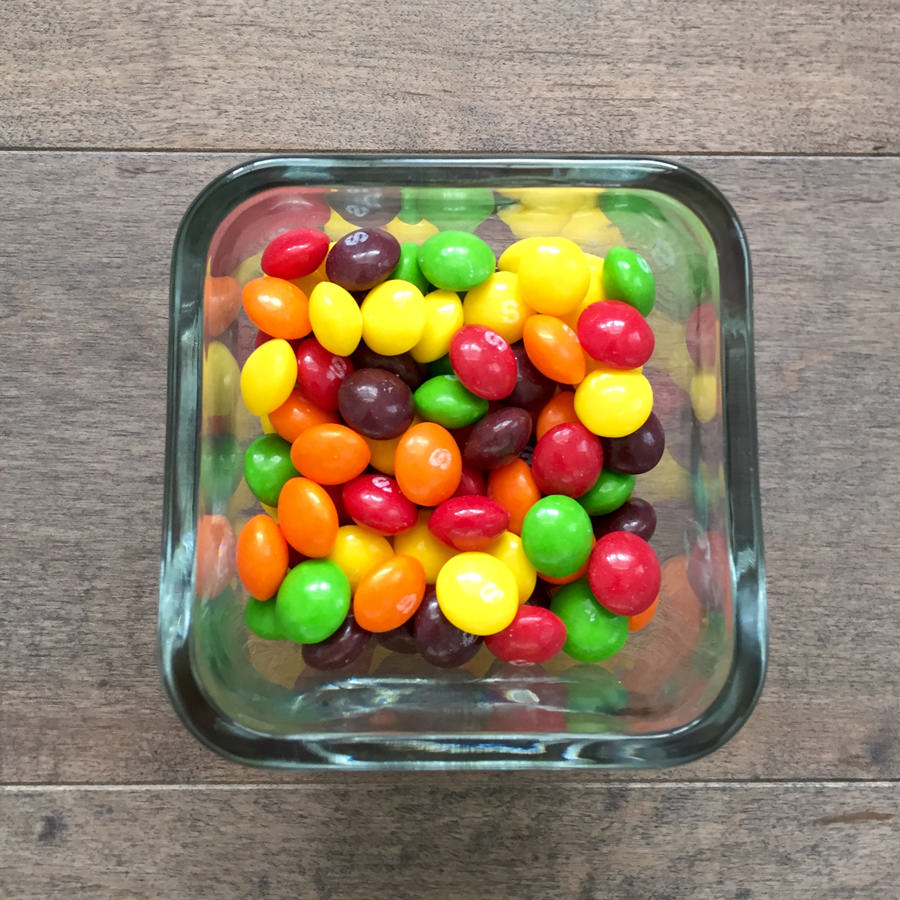
A jar of Skittles
A full jar is packed with bright color. Take some out (or eat them!) or pour them into a bigger jar, and suddenly there are gaps. Your photo works the same way: fewer pixels spread across a bigger print means lost detail.
Can't you just add more Skittles?
Sadly, no. Once a photo has been shrunk or compressed, the missing detail is gone for good. "Enhance" tools can only guess at it, which often looks smudgy or fake. The best fix is always finding a bigger copy of the photo.
Where small photos come from
Your phone camera takes plenty of pixels for most prints. Small files usually come from a copy of the photo, not the original.
Screenshots
A screenshot only captures what fits on your screen, a fraction of the original photo's detail.
Social media & texts
Facebook, Instagram, and many texting apps shrink photos to send them faster. Saving them back keeps the smaller version.
Heavy cropping or zoom
Cropping in tight, or using digital zoom, throws away pixels. A close crop of a group shot may not print large.
How to get a great print
Find the original
Check your camera roll, iCloud, or Google Photos for the full-size version. If someone else took it, ask them to send it by AirDrop, email, or a shared album.
Or print it smaller
No bigger copy? Choose a smaller size. A photo that's blurry at 8×10 can look great as a 4×6 or a mini print.
Shop mini prints →Print the moments you love
Add your photo and we'll let you know if anything is still too small, so every print is one you'll love. We keep your originals safe in our cloud for free.
Order your prints →How many pixels do I need?
Type in the print size you want and see how many pixels your photo needs. Then compare it to your photo's size (how to find it).
| Print size | Best (sharpest) | Minimum |
|---|---|---|
| 4×4 | 1200 × 1200 | 600 × 600 |
| 4×6 | 1200 × 1800 | 600 × 900 |
| 5×7 | 1500 × 2100 | 750 × 1050 |
| 8×10 | 2400 × 3000 | 1200 × 1500 |
| 11×14 | 3300 × 4200 | 1650 × 2100 |
| 16×20 | 4800 × 6000 | 2400 × 3000 |
| 20×30 | 6000 × 9000 | 3000 × 4500 |
Good news: a recent phone photo (12 megapixels or more) straight from your camera roll prints beautifully up to 8×10 and well beyond. Big wall prints are seen from farther away, so they can get by with a little less. More on resolution →
How to see your photo's size
Perfect for smaller files
Some of our favorite products are small, so even older or lower-resolution photos shine.
Pixel FAQ
Why does my photo look fine on my phone but not in print?
Phone screens are small and need far fewer pixels to look sharp. A print is much bigger, so it reveals missing detail your screen hides.
Why was my photo flagged as low resolution?
The photo doesn't have enough pixels for the size you ordered. Find a larger original or choose a smaller print size.
Can a low-resolution photo be made sharper?
Not truly. Once detail is lost, it can't be added back. Enhancement tools guess at it, and results vary. The original file is always the best option.
How many pixels do I need for a 4×6?
For the sharpest 4×6 print, aim for 1200 × 1800 pixels. Around 600 × 900 is the minimum.
Still not sure?
Send us the photo and we'll tell you how big it can print. Email support@persnicketyprints.com or call 801-225-7020.
Your pictures matter. Your memories matter. Print them.